
Adding a ceiling fan to a room can seem like a big job, but with some preparation and careful steps, it is possible for most homeowners. Installing a ceiling fan not only makes your space more comfortable, but it can also help save energy by moving air efficiently.
Whether you want to upgrade your bedroom, living room, or even a home office, learning how to add a ceiling fan can be a useful skill.
Many people worry about working with electricity or making holes in the ceiling. These are real concerns, but with the right tools, knowledge, and safety steps, you can avoid most problems. In fact, a ceiling fan often uses less electricity than running an air conditioner.
This means you can feel cooler and keep your energy bills lower.
You’ll also notice that a ceiling fan can become a main feature in a room. With so many designs available, from classic to modern, it’s easy to find one that fits your style. This guide will walk you through each step: planning, choosing the right fan, gathering materials, wiring, mounting, and finishing. Along the way, you’ll find tips and answers to common questions that help you avoid mistakes.
Let’s explore how to add a ceiling fan to a room, step by step, so you can enjoy the benefits of better airflow and a stylish upgrade.
Planning Your Ceiling Fan Installation
Adding a ceiling fan starts with careful planning. This step is often skipped, but it can prevent many problems later.
Choose The Right Location
Think about where you want the fan. Ceiling fans work best in the center of the room, about 7 to 9 feet above the floor. If your ceiling is sloped or very high, you may need extra parts, like a longer downrod or an angled mounting kit.
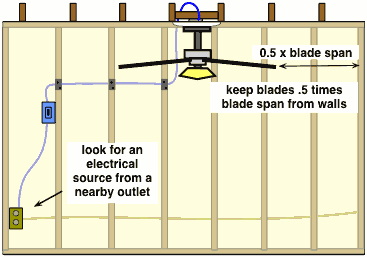
Avoid placing a fan too close to walls or corners, as this can cause uneven airflow and make the fan wobble.
Check Ceiling Strength
Ceiling fans are heavier than light fixtures. Before you start, check if your ceiling can hold the weight. Most fans weigh between 15 and 50 pounds. If you have an older home or a thin ceiling, you may need to install a special support box.
Find Power Source
Decide how you will power the fan. If you have an existing ceiling light, you might be able to use the same wiring. If there’s no ceiling light or power, you’ll need to run new wires, which can be more difficult and may require a permit.
List Tools And Materials
Gather everything before you start. You’ll need:
- Ceiling fan kit
- Ladder (tall enough to reach the ceiling comfortably)
- Screwdrivers (flat and Phillips)
- Wire strippers and cutters
- Voltage tester
- Pliers
- Electrical tape
- Circuit tester
- Drill and bits
- Ceiling fan-rated electrical box
- Stud finder
- Safety glasses
Having the right tools makes the job safer and faster.
Budget And Time
Expect to spend about $100 to $500 for a typical ceiling fan, depending on style and features. The installation may take 2 to 4 hours for a beginner. If you need new wiring or support, add extra time and cost.
Choosing The Right Ceiling Fan
Selecting the best ceiling fan is not just about looks. You need to consider size, features, and where you want to install it.
Fan Size
A fan that’s too small won’t move enough air; a fan that’s too large can overpower the room. Here’s a guide to help choose the right size:
| Room Size (sq. ft.) | Recommended Fan Blade Span (inches) |
|---|---|
| Up to 75 | 29 – 36 |
| 76 – 144 | 36 – 42 |
| 145 – 225 | 44 – 50 |
| 226 – 400 | 50 – 54 |
Indoor Vs. Outdoor Fans
If you want a fan in a humid place, like a bathroom or covered porch, choose a damp-rated or wet-rated model. These are built to handle moisture, while indoor fans are not.
Features And Controls
Modern fans offer more than just air movement. Consider:
- Remote control: For easy speed and light changes
- Light kit: Adds overhead lighting if needed
- Reversible motor: Moves air up in winter, down in summer for energy savings
- Smart features: Some fans connect to apps or voice assistants
Energy Efficiency
Look for the Energy Star label. Fans with this mark use up to 60% less energy than standard models.
Style
Choose a design and finish that matches your room. Popular finishes include brushed nickel, white, bronze, and wood looks. The fan should complement your decor, not clash with it.
Preparing The Room And Power
Getting the room ready before installation is key to a smooth process. Rushing this part can lead to mistakes.
Turn Off Power
Before you touch any wires, turn off the circuit breaker that controls the room. Use a circuit tester to make sure the power is off. Never rely only on a wall switch, as some wires may still be live.
Remove Old Fixture
If you’re replacing a ceiling light, carefully remove it. Support the fixture as you loosen screws. Disconnect wires by unscrewing wire nuts and gently pulling wires apart. Note which wires are hot (black/red), neutral (white), and ground (green/bare).
Inspect And Upgrade Ceiling Box
Most ceiling boxes for lights are not strong enough for a fan. The box should be marked “fan-rated” or “support 50 lbs.” If not, replace it with a metal fan-rated box. This step is often missed, but it’s essential for safety.
Check Ceiling Clearance
Measure from the ceiling to the floor. You need at least 7 feet of clearance below the fan blades. If your ceiling is higher than 9 feet, use a longer downrod. For sloped ceilings, make sure the mounting kit works at your angle.
Plan Your Controls
Decide if you want to control the fan and light separately or together. Separate controls require extra wiring and switches. If you only have one switch, consider a remote control fan or a wall control kit.
Running New Wiring (if Needed)
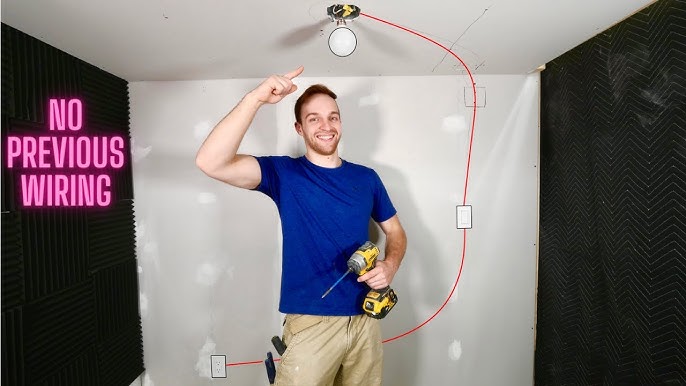
If your ceiling has no existing wiring, you’ll need to add it. This is the hardest part and may require an electrician, especially if you’re not comfortable with electrical work.
Check Local Codes
Some areas require a permit for new electrical work. Check your city or county website before starting.
Run Wires Safely
Use UL-listed electrical wire rated for 15 or 20 amps, depending on your circuit. Route wires through the attic, following ceiling joists. Secure with staples, but don’t crush the wire.
Install Wall Switch
Cut a hole for a new wall switch if you want one. Pull wires to the box, leaving at least 6 inches sticking out for connections. Always use a plastic or metal electrical box.
Connect To Power
Tie into an existing circuit at the closest junction box. Use wire nuts to connect black to black (hot), white to white (neutral), and ground to ground. Label all wires clearly. When in doubt, consult a licensed electrician.
Installing The Fan Support Box
A fan support box is the backbone of your installation. It attaches to the ceiling joist and holds the full weight of the fan.
Types Of Support Boxes
There are two main types:
- Brace bars: Adjustable metal bars that fit between joists. They are ideal if you can access the space above the ceiling.
- Direct-mount boxes: Screw directly into a joist for extra strength.
Installing The Box
- Use a stud finder to locate joists.
- Cut a hole in the ceiling using the template from the fan box.
- Insert the support box and secure with screws or brace bar as directed.
- Pull electrical wires through the box.
- Test the box’s strength by gently pulling down—it should not move.
This step prevents wobble and ensures safety.
Assembling The Ceiling Fan
Most fans come in several pieces. Assembling on the floor is easier and safer.
Lay Out All Parts
Open the box and check you have all parts:
- Motor housing
- Blades and blade irons (brackets)
- Downrod (if needed)
- Mounting bracket
- Light kit (if included)
- Screws, washers, and wire nuts
Attach Blade Irons
Connect blade irons to the blades using the screws provided. Tighten them firmly so the blades don’t rattle.
Prepare The Motor
Install the downrod if your ceiling is angled or higher than 9 feet. Thread the wires from the motor through the downrod. Attach the downrod to the motor using the locking pin.
Attach Mounting Bracket
Screw the mounting bracket to the ceiling box. Make sure it is level and very tight. This will support the full weight of the fan.
Non-obvious Insight
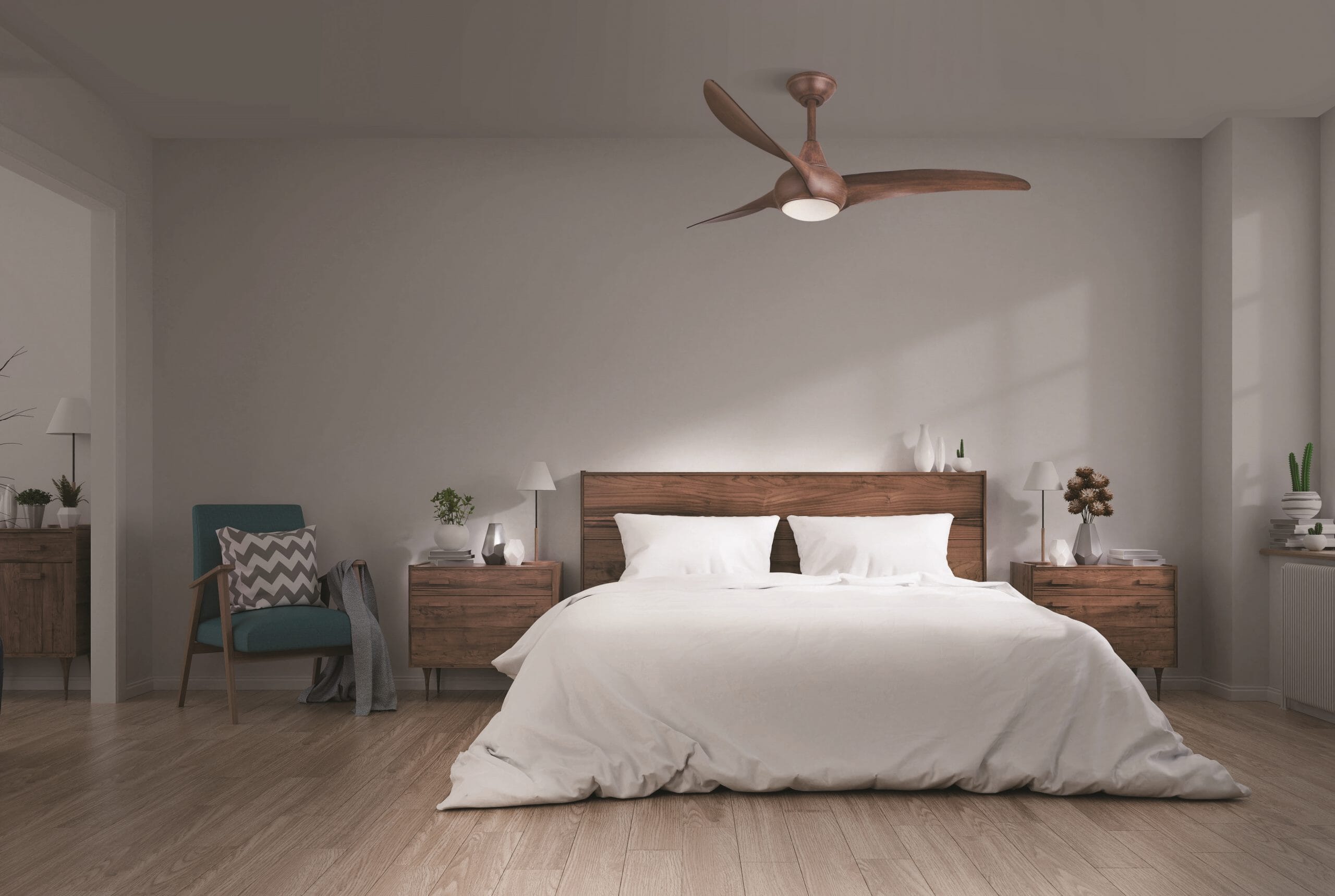
Do not attach fan blades to the motor until the motor is mounted on the ceiling. It’s much easier to lift and wire the motor without the blades in the way.
Credit: www.lightsonline.com
Wiring The Ceiling Fan
Wiring is the most technical part. Go slowly and double-check every connection.
Match Wires
Fans usually have three wires:
- Black (fan power)
- Blue (light power, if included)
- White (neutral)
- Green or bare (ground)
Connect the wires from the fan to the ceiling wires:
- Black to black (or red, if present)
- Blue to blue or black (for light kit)
- White to white
- Green/bare to ground
Use wire nuts to connect, and wrap with electrical tape for safety.
Secure All Connections
Push wires gently into the ceiling box. Make sure no copper is exposed. If your fan has a remote receiver, install it according to the manual.
Test Before Final Assembly
Turn on the circuit breaker and test the fan and light controls. If everything works, turn the power off again before you finish assembly.
Mounting The Fan Motor
With the wiring done, mount the fan motor to the ceiling bracket.
Hang The Motor
Lift the motor (with a helper if needed) and place it on the mounting bracket. Most fans have a hook or slot to hold the motor while you connect wires.
Secure The Motor
Screw the motor housing tightly into the bracket. Wiggle the motor to check for any movement. If it moves, tighten screws more.
Attach Fan Blades
Once the motor is secure, attach the blades one by one. Use a screwdriver to fix each blade iron to the motor. Make sure all blades are at the same angle for balance.
Install Light Kit
If your fan has a light, connect the wires as directed. Usually, it’s a simple plug connection. Screw in bulbs and attach the glass cover.
Non-obvious Insight
Balance the blades before final use. Use the balancing kit (small weights) included in the box. This step reduces wobble and noise, especially at high speeds.
Testing And Troubleshooting
Testing is important to catch problems before they become bigger issues.
Power On
Turn the circuit breaker back on. Use the wall switch or remote to test the fan and light.
Check For Wobble
Start the fan on the lowest speed and check for wobble. Increase speed slowly. If the fan shakes, turn it off and check:
- All blade screws are tight
- Blades are the same distance from the ceiling
- The support box is solid
Noise Issues
Some noise is normal, especially when new. But loud clicking or grinding is not. Check for loose screws or parts. If the problem continues, contact the fan manufacturer.
Control Problems
If the light or fan does not work, check all wire connections. Make sure remote batteries are fresh and the receiver is installed correctly.
Adding Advanced Features
Modern ceiling fans offer more than basic airflow. You can add features to improve comfort and convenience.
Installing A Remote Control
Most fans can use a wireless remote. This is helpful if you do not want to run extra wall switches. The remote receiver fits in the canopy above the motor.
Smart Home Integration
Some fans connect to smart home systems. You can control them with your phone or voice, set schedules, and even adjust speed based on room temperature.
Energy-saving Tips
Reverse the fan direction in winter (clockwise at low speed) to push warm air down. In summer, run counterclockwise for a breeze effect. This can reduce heating and cooling bills by up to 15%.
Dimmable Lights
If your fan has a light, consider using LED bulbs and a dimmer switch for flexible lighting.
Credit: www.do-it-yourself-help.com
Common Mistakes And How To Avoid Them
Even experienced DIYers make mistakes with ceiling fans. Here are some to watch out for:
- Using a regular ceiling box: Always use a fan-rated box.
- Not checking ceiling height: Low ceilings need a flush-mount fan; high ceilings need a longer downrod.
- Skipping blade balancing: This leads to noise and wear.
- Loose screws: Every screw must be tight, especially on blades.
- Forgetting ground wire: Always connect the ground for safety.
- Incorrect wiring: Double-check with the manual and use a voltage tester.
- Not testing before final assembly: Test the fan before installing the blades and covers.
Comparing Ceiling Fan Controls
Choosing the right control system makes the fan easier to use. Here’s a comparison:
| Control Type | Pros | Cons | Best For |
|---|---|---|---|
| Pull Chain | Simple, low cost | Not convenient for high ceilings | Bedrooms, small rooms |
| Wall Switch | Easy access, reliable | Needs extra wiring | Living rooms, main areas |
| Remote Control | Flexible, easy to install | Batteries required, can be lost | Large rooms, when wiring is hard |
| Smart Control | App/voice control, schedules | Higher cost, needs Wi-Fi | Tech-savvy users |
Maintenance Tips For Your Ceiling Fan
A ceiling fan needs little maintenance, but regular checks keep it running well.
Clean Blades Regularly
Dust on blades can cause imbalance. Use a damp cloth every few months to wipe blades. Avoid using harsh cleaners.
Tighten Screws
Vibration can loosen screws over time. Check all screws on the blades, motor, and light kit every 6 months.
Lubricate Bearings
Most modern fans have sealed bearings, but if your fan is older, add a few drops of oil as directed in the manual.
Check For Noise
Unusual sounds often mean something is loose. Turn off the fan and check all parts.
Replace Bulbs And Batteries
If your fan has a light, use the correct bulb type and wattage. Change remote batteries when needed.
Ceiling Fan Vs. Air Conditioner: Energy Use Comparison
How much energy does a ceiling fan save compared to an air conditioner? Here’s a simple comparison:
| Appliance | Average Power Use (Watts) | Estimated Cost per Hour (US) |
|---|---|---|
| Ceiling Fan | 30 – 75 | $0.01 – $0.02 |
| Window AC Unit | 500 – 1500 | $0.06 – $0.20 |
| Central AC | 2000 – 3500 | $0.24 – $0.42 |
Using a ceiling fan instead of AC, or together with a higher AC temperature, can save a lot on your energy bill.
When To Call A Professional
While many homeowners can install a ceiling fan, some situations require expert help:
- No existing wiring: Running new wires is best left to an electrician.
- Heavy ceiling fans: Very large or heavy fans may need extra support.
- Unusual ceiling construction: Vaulted, concrete, or very old ceilings may require special tools.
- Electrical uncertainty: If you’re unsure about wiring or safety, hire a licensed electrician.
A professional can complete the job quickly and safely, often with a warranty.
Frequently Asked Questions
How Do I Know If My Ceiling Box Can Support A Fan?
Look for a label inside the box that says “fan-rated” or “50 lbs support.” If it’s plastic or thin metal, it’s likely not strong enough. Upgrade to a metal, fan-rated box before installing your fan.
Can I Install A Ceiling Fan Without Existing Wiring?
Yes, but it’s more complex. You’ll need to run new wires from a power source to the ceiling, which may require cutting drywall and installing a new switch. For safety and code reasons, it’s smart to hire a licensed electrician for this work.
What Size Ceiling Fan Do I Need For My Room?
Measure the room and use the following guide:
- Up to 75 sq. Ft.: 29–36 inch blades
- 76–144 sq. Ft.: 36–42 inch blades
- 145–225 sq. Ft.: 44–50 inch blades
- 226–400 sq. Ft.: 50–54 inch blades
The right size improves airflow and reduces wobble.
Is It Safe To Install A Ceiling Fan On A Sloped Ceiling?
Yes, but you need a sloped ceiling adapter and possibly a longer downrod. Most modern fans are compatible with up to 30-degree slopes, but always check the manufacturer’s instructions.
Where Can I Find More Detailed Wiring Diagrams?
For advanced wiring diagrams and more safety tips, visit this official resource: Family Handyman.
Adding a ceiling fan to a room is a smart way to improve comfort, style, and energy efficiency. With careful planning, the right tools, and attention to detail, most homeowners can complete this project in a few hours. Remember to always put safety first—turn off power, use a fan-rated box, and check your wiring twice.
The reward is a cooler, more comfortable room and lower energy bills for years to come.
Credit: www.youtube.com