
Adjustable desks are changing how people work, study, and even relax at home. With more jobs moving online and many people spending hours at their computers, a desk that fits your body is not just a nice thing—it’s a must for your health. But owning an adjustable desk is not enough. If you set it at the wrong height, you can feel tired, get back pain, or even have long-term posture problems. Many people buy these desks but never learn how to use them the right way. This guide will show you everything you need to know about setting adjustable desk height for your body, your needs, and your daily life.
You’ll learn the science behind desk height, get step-by-step instructions, and discover tips that even many experts forget. Whether you just unboxed your first sit-stand desk, or you want to fine-tune your old one, this article will help you avoid common mistakes.
You’ll find practical advice, real examples, and easy-to-follow tables to make sure you’re always working in comfort and safety.
Why Desk Height Matters
The height of your desk affects more than just how you look while working. It has a direct impact on your posture, comfort, and even your long-term health. When your desk is too high, your shoulders rise and your wrists bend, which can cause pain over time. If it’s too low, you start to hunch forward, putting stress on your back and neck.
A study from the National Institutes of Health found that poor workstation setup is linked to a higher risk of neck and shoulder pain. Another report by the Occupational Safety and Health Administration (OSHA) shows that adjusting your desk can reduce musculoskeletal disorders by up to 60%.
So, the right desk height is not about style—it’s about preventing injuries and helping you stay productive.
Understanding Adjustable Desks
Adjustable desks, sometimes called sit-stand desks, can move up or down to fit different tasks or users. Some are manual, using a crank or lever, while others use an electric motor for smooth movement. There are also desks designed for children or collaborative spaces, where height changes often.
Types Of Adjustable Desks
- Electric sit-stand desks – Most common, easy to adjust with a button.
- Manual crank desks – Require a bit more effort but are often less expensive.
- Converter platforms – Sit on top of a regular desk; raise only your keyboard and monitor.
- Pneumatic desks – Use air pressure for quiet, fast changes.
Each type has its own ideal way to set the height, but the basic principles are the same.
The Science Of Ergonomic Desk Height
Ergonomics is the science of fitting the workplace to the worker. For desk height, it means setting your work surface so your body stays in a natural, healthy position.
Key Measurements
- Elbow angle: Your elbows should be at a 90 to 110-degree angle when typing.
- Wrist position: Wrists should stay flat, not bent up or down.
- Shoulder relaxation: Shoulders should not be raised or hunched.
- Screen level: The top of your monitor should be at or just below eye level.
Standard Desk Height Ranges
Most desks are designed for people who are 5’8” to 5’10” (173–178 cm). The standard sitting desk height is 28 to 30 inches (71–76 cm). Standing desks often range from 36 to 52 inches (91–132 cm).
However, these numbers are just a starting point. If you are much taller or shorter, you will need to adjust for your own body.
How To Set Your Adjustable Desk Height: Step-by-step
1. Find Your Ideal Sitting Desk Height
When sitting, your desk should let your arms rest comfortably at your sides with your forearms parallel to the floor. Here’s how to measure:
- Sit with your feet flat on the floor.
- Keep your knees at a 90-degree angle.
- Relax your shoulders.
- Bend your elbows at 90 degrees.
- Raise or lower the desk so your hands rest lightly on your keyboard with straight wrists.
Example Sitting Desk Heights By User Height
| User Height | Recommended Sitting Desk Height |
|---|---|
| 5’0” (152 cm) | 24.5” (62 cm) |
| 5’6” (168 cm) | 27” (68.5 cm) |
| 6’0” (183 cm) | 29” (74 cm) |
| 6’4” (193 cm) | 30.5” (77.5 cm) |
Non-obvious insight: Many people forget to adjust their chair height first. Always set your chair so your feet are flat and your thighs are parallel to the floor before adjusting your desk.
2. Find Your Ideal Standing Desk Height
Standing desk height is set so your elbows stay at a 90-degree angle when your arms hang relaxed by your sides.
- Stand up straight, feet shoulder-width apart.
- Relax your shoulders.
- Bend your elbows to 90 degrees.
- Raise or lower your desk so your keyboard matches your forearm height.
Example Standing Desk Heights By User Height
| User Height | Recommended Standing Desk Height |
|---|---|
| 5’0” (152 cm) | 38” (97 cm) |
| 5’6” (168 cm) | 42” (107 cm) |
| 6’0” (183 cm) | 45” (114 cm) |
| 6’4” (193 cm) | 48” (122 cm) |
Non-obvious insight: Wear your typical work shoes before measuring standing desk height. Heels, boots, or thick soles can change your ideal desk level by 1–2 inches.
3. Adjust Monitor Height And Distance
Desk height is important, but so is your monitor position. An adjustable desk without a correctly placed screen can still cause neck pain.
- Eye level: The top edge of your screen should be at or just below your eye level.
- Distance: The screen should be about an arm’s length away (20–28 inches for most people).
- Angle: Tilt the screen back 10–20 degrees so your eyes look slightly down.
If your monitor is too low, use a riser or adjustable arm. For laptops, use a stand and an external keyboard for best results.
4. Tweak Keyboard And Mouse Position
Your keyboard and mouse should rest at the same level so your wrists stay straight. If your desk is too high, consider a keyboard tray. Place your mouse close to your keyboard to avoid overreaching.
Practical tip: Some adjustable desks have a lip or edge that makes using a keyboard tray tricky. If so, look for a low-profile tray or a desk with a built-in cutout.
5. Fine-tune For Special Tasks
Do you draw, write by hand, or use a graphics tablet? These activities often need a slightly different height.
- For writing by hand, a desk that’s 1–2 inches higher can help.
- Artists may prefer a slanted surface or an adjustable art desk.
- For reading, use a document holder to avoid hunching.
Always return to your “neutral” typing position for most of your work.

Credit: www.healthline.com
Common Mistakes When Setting Desk Height
Many people with adjustable desks make simple mistakes that cause discomfort or pain. Avoid these pitfalls:
- Setting desk height before chair height – Always adjust your chair first.
- Ignoring foot position – Dangling feet or using a chair that’s too high can cause leg pain.
- Forgetting to adjust monitor height – Even with the right desk height, a low or high monitor strains your neck.
- Not checking wrist angle – Bent wrists cause carpal tunnel syndrome over time.
- Using only standard height charts – These are for “average” users. Always adjust for your unique body.
- Wearing different shoes – High heels or thick soles can change your standing posture.
- Not switching positions – Even at the right height, sitting or standing too long is unhealthy.
- Not re-checking setup – If you change your chair or monitor, check your desk height again.
- Ignoring accessories – Use a footrest, monitor arm, or keyboard tray if needed.
- Skipping regular breaks – Movement is as important as desk height.
How To Switch Between Sitting And Standing
Adjustable desks allow you to change positions during the day. But switching too quickly or too often can be tiring.
Best Practices For Sit-stand Use
- Start standing for 15–30 minutes every hour.
- Gradually increase standing time as your body adapts.
- Shift your weight and move your feet while standing.
- Use a supportive mat for comfort.
- Don’t force yourself to stand all day—listen to your body.
Example Sit-stand Schedule
| Time | Position |
|---|---|
| 9:00–9:45 am | Sit |
| 9:45–10:15 am | Stand |
| 10:15–11:00 am | Sit |
| 11:00–11:30 am | Stand |
| Repeat pattern… |
Experience-based tip: If you feel pain or fatigue while standing, return to sitting. It’s better to stand less often than to hurt yourself.
Setting Desk Height For Multiple Users
Many homes and offices share desks. In these cases, adjustable desks are ideal, but you’ll need a system to make sure each user is comfortable.
How To Share Adjustable Desks
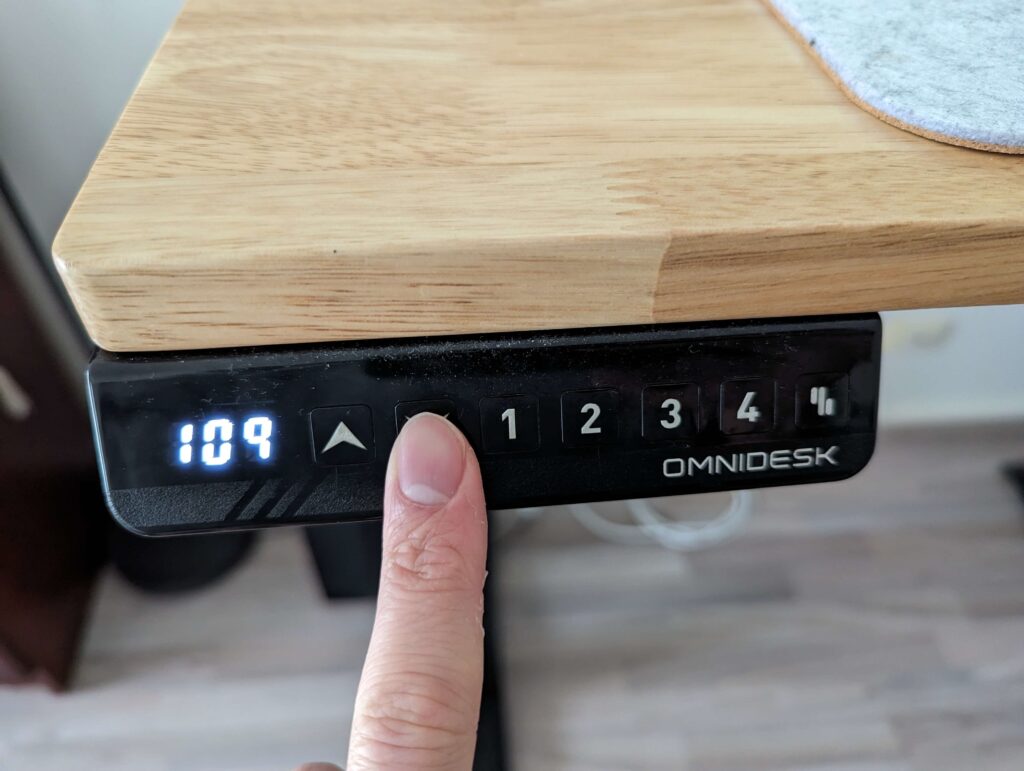
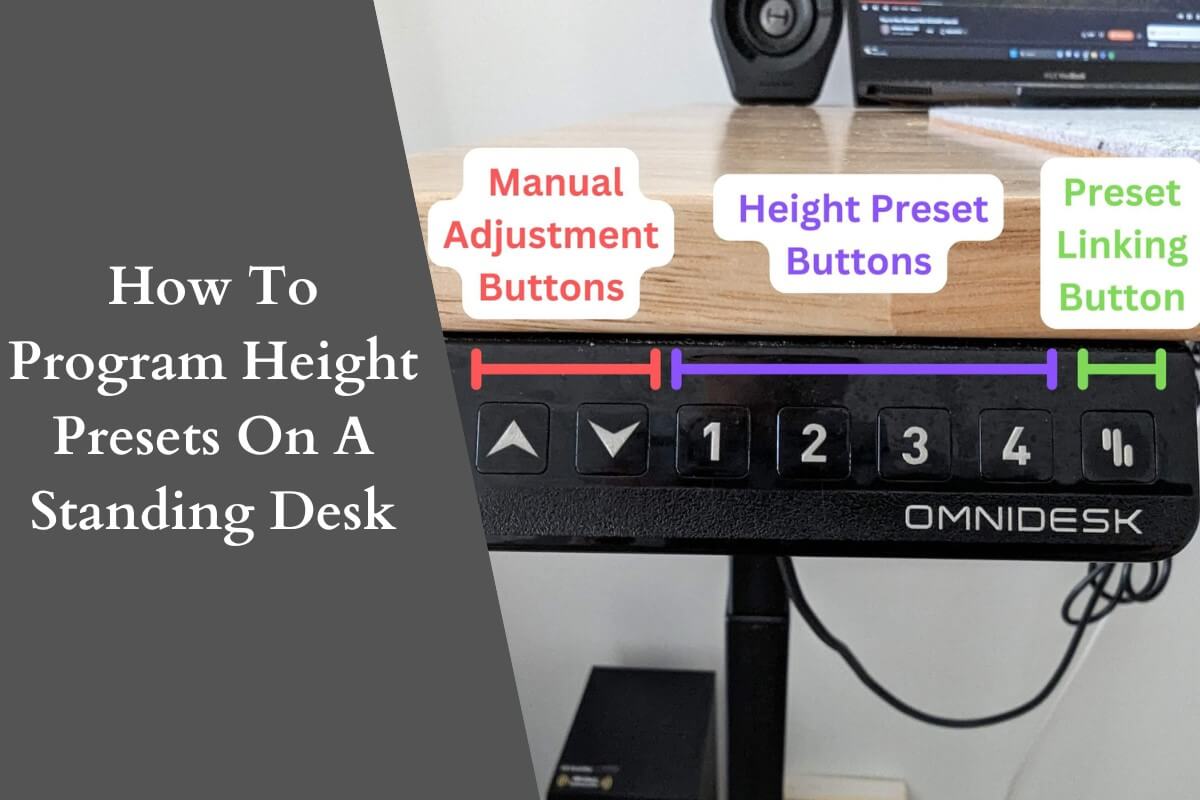
- Mark favorite heights: Use tape or desk memory buttons to mark each person’s best sitting and standing heights.
- Create a quick reference chart: List user heights and desk settings near the desk.
- Remind users to adjust: People forget—make it a habit to check before working.
For classrooms or hot-desking, post a simple guide with illustrations showing how to measure.
Desk Height For Children And Teens
Children grow fast, and desks that are too tall or too short can cause long-term issues. Use the same principles but with these added tips:
- For young children, desks should allow feet to rest flat and elbows to be at 90 degrees when writing or typing.
- Use footrests for shorter children.
- Re-check desk height every 6–12 months as children grow.
Practical insight: Many parents buy “grow with me” desks that adjust with the child’s height over the years.
Credit: beststandingdesks.com.au
Accessories That Help Desk Adjustment
Sometimes, an adjustable desk alone is not enough. Accessories can help you reach the perfect setup.
- Footrests: For people with short legs or high chairs.
- Monitor arms: For flexible screen positioning.
- Keyboard trays: Allow for lower typing positions.
- Anti-fatigue mats: Reduce discomfort while standing.
- Chair with adjustable armrests: Keeps shoulders relaxed.
If your desk can’t go low enough, use a footrest. If it can’t go high enough, raise the monitor and keyboard.
How To Know If Your Desk Height Is Right
You’ve set your desk, but how do you know it’s perfect? Here are signs you’ve got it right:
- You can type for long periods without wrist or shoulder pain.
- Your shoulders are relaxed, not raised.
- You don’t hunch your back or crane your neck.
- You can easily switch between sitting and standing.
- You feel comfortable by the end of the day.
Test your setup for a week, then adjust if you have any discomfort.
Desk Height And Different Work Styles
Not all work is the same. Some jobs need special setups.
Designers And Artists
Need space for large paper or tablets. Often use slanted surfaces. Desk height may need to be higher for sketching.
Gamers
Spending hours at the computer. Desk height must fit both keyboard and mouse use. Monitor should be at eye level.
Writers
Often switch between typing and handwriting. May need a slightly higher desk for writing by hand.
Assembly Or Craft Work
May require standing for long periods. Anti-fatigue mats and frequent breaks are essential.
Adjusting Desk Height For Health Issues
Some people have special needs due to medical conditions.
- Back pain: Desk height should reduce slouching. Use a lumbar-support chair.
- Carpal tunnel syndrome: Keep wrists straight and consider a split keyboard.
- Wheelchair users: Make sure desk clears knees and thighs. Desk height usually 27–30 inches from floor.
Talk to an ergonomics expert or occupational therapist for tailored advice.
Credit: beststandingdesks.com.au
Comparing Adjustable Desk Features
Not all adjustable desks are equal. Here’s how to compare key features:
| Feature | Electric Desk | Manual Crank | Converter Platform |
|---|---|---|---|
| Speed | Fast (few seconds) | Slower (manual effort) | Very fast |
| Noise | Low | Silent | Silent |
| Cost | Higher | Lower | Lowest |
| Weight Capacity | High | Medium | Low |
| Ease of Use | Very easy | Some effort | Very easy |
Choose a model that fits your daily routine, budget, and need for quiet or speed.
Real-world Examples
Example 1: Office Worker
Sarah is 5’5” (165 cm) tall. She works 8 hours at her desk. She sets her sitting desk at 26. 5” (67 cm) and standing desk at 41” (104 cm). She uses a footrest and a monitor arm. After two weeks, she reports less back pain and more energy.
Example 2: Home User With Multiple Family Members
The Nguyen family shares a desk. They use colored stickers to mark each person’s best sitting and standing heights. Each family member checks the sticker before working.
Example 3: Gamer
Alex is 6’2” (188 cm). He uses an electric desk set at 29. 5” (75 cm) sitting and 46” (117 cm) standing. He uses a large mousepad and keeps his monitor on an adjustable arm for long gaming sessions.
Maintenance And Long-term Care
Keeping your adjustable desk in good condition is important for safety and smooth use.
- Clean moving parts regularly.
- Check for loose bolts every 3–6 months.
- For electric desks, avoid overloading the weight limit.
- Lubricate manual cranks or sliders as needed.
- Update firmware if your desk has “smart” features.
A well-maintained desk lasts longer and stays safe.
Extra Tips For The Perfect Setup
- Take regular micro-breaks (every 20–30 minutes) to stretch or walk.
- Use voice control or desk memory presets for fast changes.
- Review your setup every few months—your needs can change.
- If you move your workspace, re-check all measurements.
- Read the user manual—some desks have special safety rules.
Trusted Resources For Further Learning
For more detailed information and the latest research, visit the OSHA Ergonomics page. It offers guides, diagrams, and facts on workplace safety.
Frequently Asked Questions
How Do I Know If My Adjustable Desk Is At The Right Height?
If your elbows are at a 90-degree angle, your wrists are straight, and your shoulders are relaxed, your desk is likely at the correct height. You should not feel pain in your back, neck, or arms after a full day.
Can I Use The Same Desk Height For Sitting And Standing?
No, your standing and sitting heights are different because your body posture changes. Adjust the desk each time you switch positions for best comfort.
What If My Feet Don’t Reach The Floor When Sitting?
Use a footrest to support your feet. This helps keep your thighs parallel to the floor and improves circulation.
How Often Should I Change From Sitting To Standing?
Experts suggest changing every 30 to 60 minutes. Listen to your body—if you feel tired or sore, switch positions or take a short walk.
Is An Adjustable Desk Worth It For Children?
Yes, especially as they grow. Adjustable desks help children keep good posture and avoid back or neck pain as their bodies change.
Setting your adjustable desk to the right height is one of the best things you can do for your health and productivity. Take the time to measure, test, and adjust—your body will thank you for years to come.